 libKIOSK
libKIOSK
libKIOSK
The libKIOSK library is for making graphical front ends to control embedded Linux systems. It supports menus, button controls, selection controls, numeric entry, graphs, and multiple languages. It produces a GUI on either an HTTP connection or on a local display. It supports mouse and touchscreen input. It is written in C++ to support snappy, responsive operation without a GPU. It talks directly to the Linux kernel for graphics, bypassing the bottlenecks of slower windowing systems.
libKIOSK is open source, and is free to use for noncommercial purposes. For commercial uses, a commercial-use license is available at low cost.
The video below gives you a feel for the sort of graphical user interface that libKIOSK was designed to produce. This is from a demo produced with an earlier version of the libKIOSK library.
Below are images from the demo application that is shipped with the latest version of libKIOSK. This demo application gives example code for how to use the major features of the library.
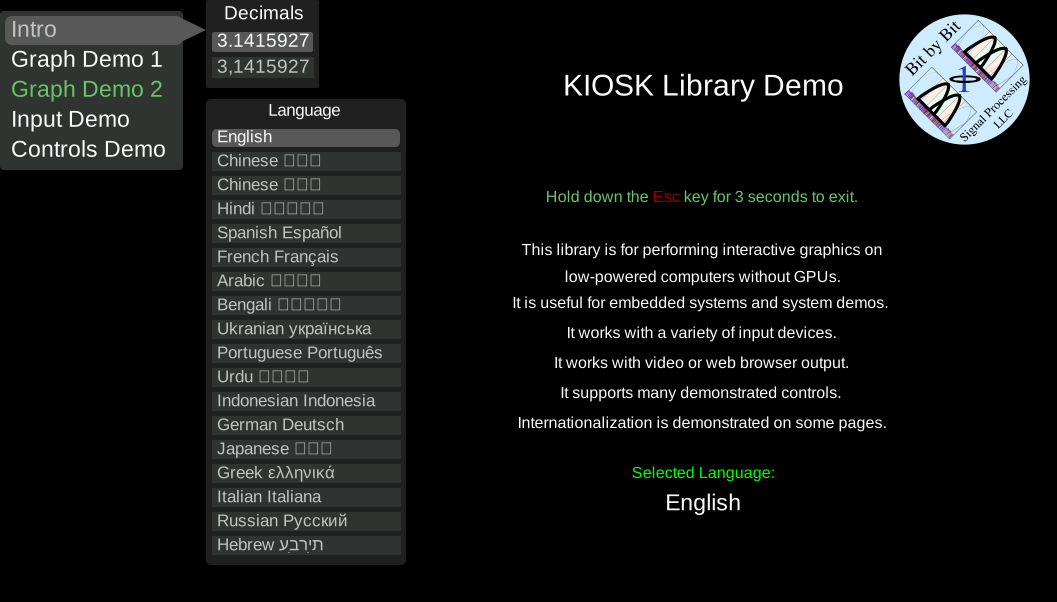
The first image shows the startup screen, which allows you to select one of the languages coded into the demo application. Complex graphics from SVG files are supported, such as the BxB company logo shown.
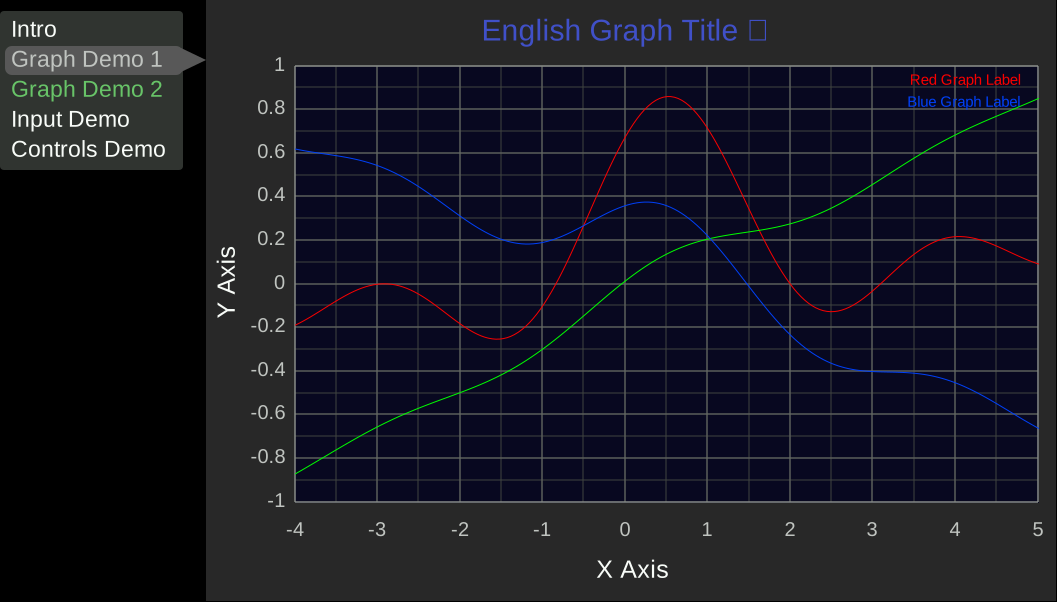
The image below shows a graph selected from the menu. Graphs can have their data continually and quickly updated to show realtime effects.
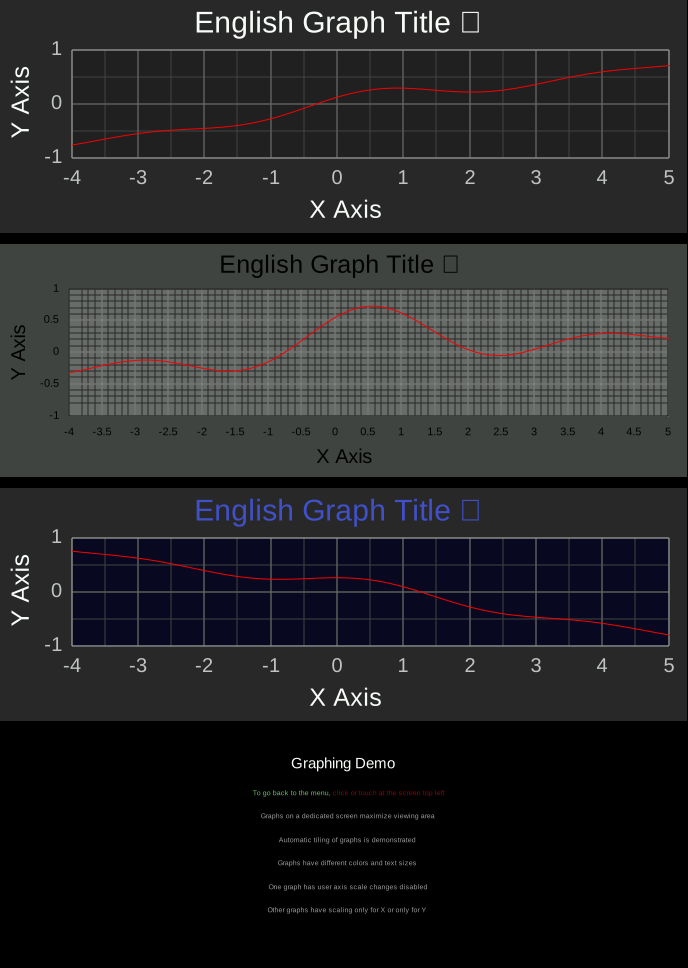
The image below shows graphs on a standalone screen, activated from the menu. Having them standalone maximizes screen space. Graphs automatically tile to fill up the screen area. An application is typically coded so that a click at the top right returns to the main menu. Graphs can have many different color schemes.
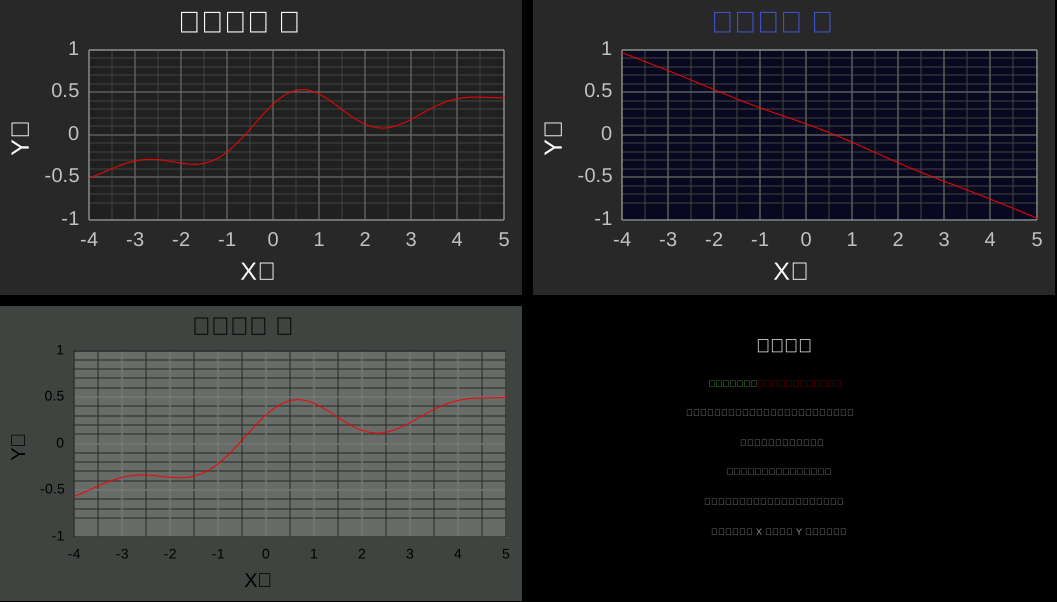
The image below shows how when the GUI is displayed on a web browser and the browser is resized, the graphs automatically reorient themselves to make best use of the screen area.
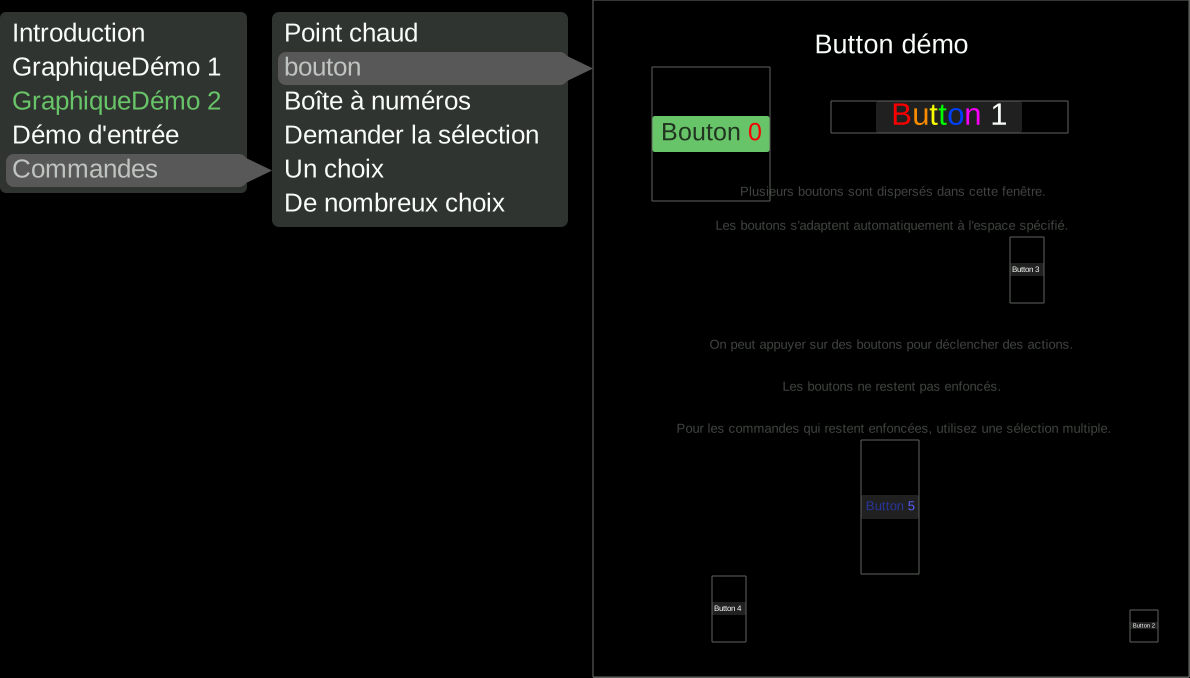
The image below shows buttons that can be clicked on to perform actions. Buttons are given a screen area. Normally that area would be invisible, but it is shown here with a white outline. The buttons fit themselves within that area. Items can optionally be in mixed languages.
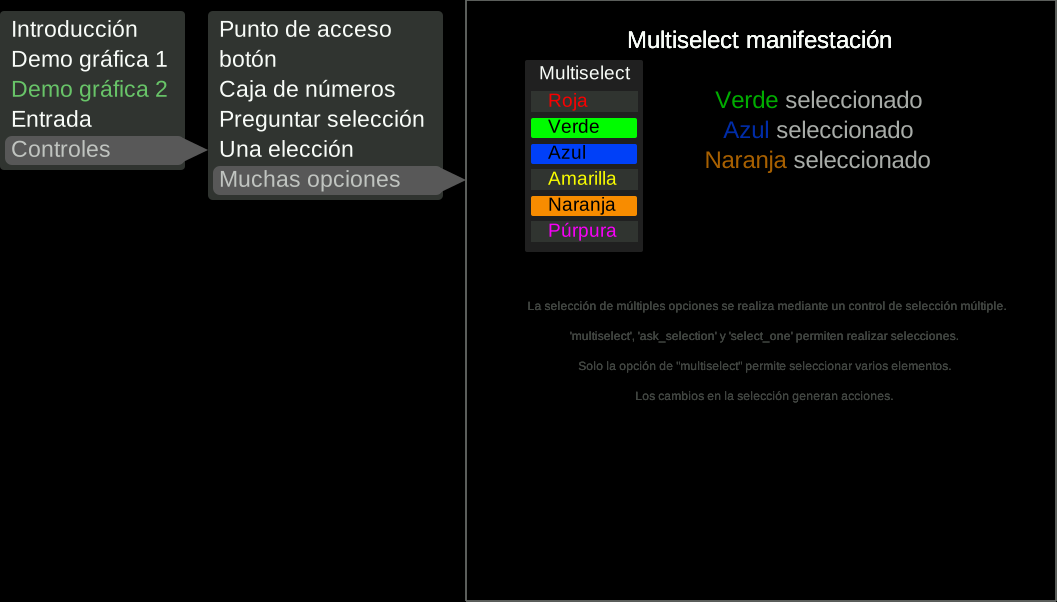
A "Multiselect" control allows selections of zero, one, or multiple items. There is also a similar "Select_One" control that only allows a single item to be selected.
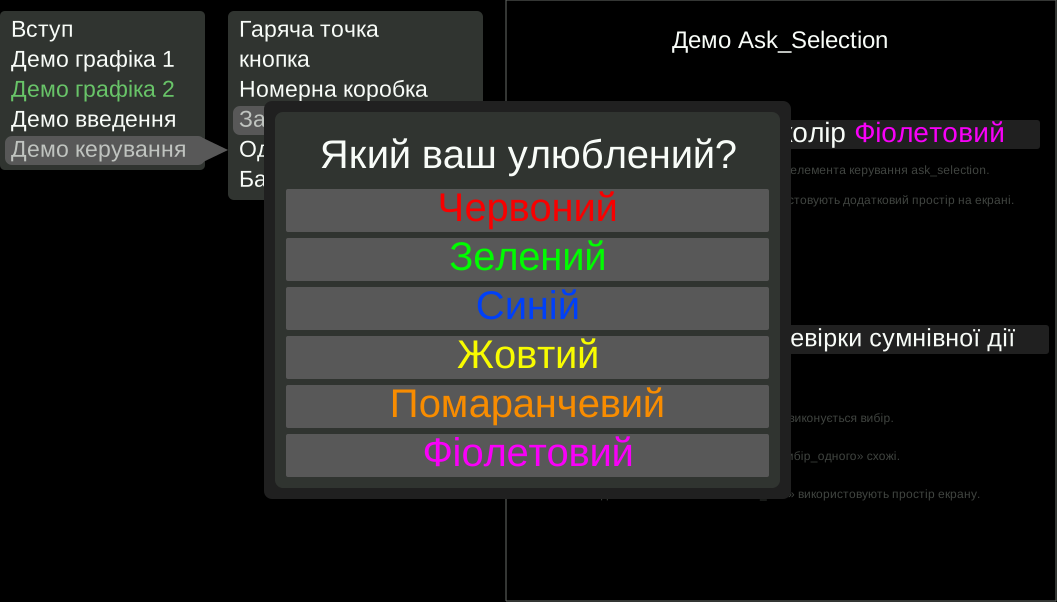
Selections can also be made via popup dialogs, to preserve screen area. A useful application brings up an "Are you sure?" dialog to verify questionable actions.
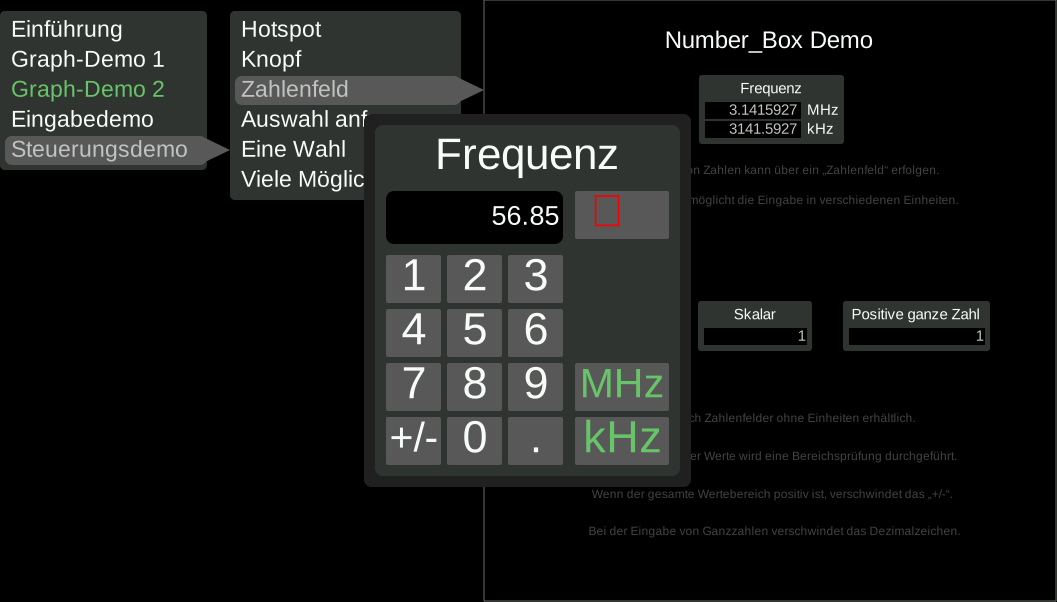
Numbers can be entered through a Number Box control. Currently selected values are always visible in the control, optionally in multiple different units. Clicking on the control brings up an entry dialog that allows the number to be changed in one of those units. Controls can have limits on the type of number (positive, integer) as well as the numberic range. Decimal points can be selected to be either period or comma.
Previous demonstrations from Bit by Bit Signal Processing used early versions of the libKIOSK library. It has now been significantly enhanced for general release. In particular, this released version has been made easier to use, with a reasonably straightforward interface in basic C++. This released version of the library also supports additional features, such as Popup Selection and multiple languages.
libKIOSK source code can be downloaded here: STYNQ Downloads
libKIOSK was developed for Debian-based Linux systems, such as Debian, Mint, and Ubuntu. Getting it working with non-Debian versions of Linux may require more work.
libKIOSK doesn't just work in embedded systems; it works on desktop Linux too. This is primarily useful for development of libKIOSK GUIs. It's easiest to develop a GUI on the desktop prior to porting it to an embedded system.
A small amount of documentation is included in the release, as well as a significant number of examples contained in the demo application.
There are currently no other notes for the latest version, libKIOSK_2026_01_22_22.39.tgz.